Initial SAML setup
You need your LCD account key to configure SAML integration with LCD.
Note
The account key was provided by the ITC engineer when your account was first created. It should not contain any dashes or spaces. For example, 123456789ABCDEFGHIJK
Basic SAML configuration
The SAML configuration consists of an identifier and reply URL, as in the following example from Azure Active Directory.
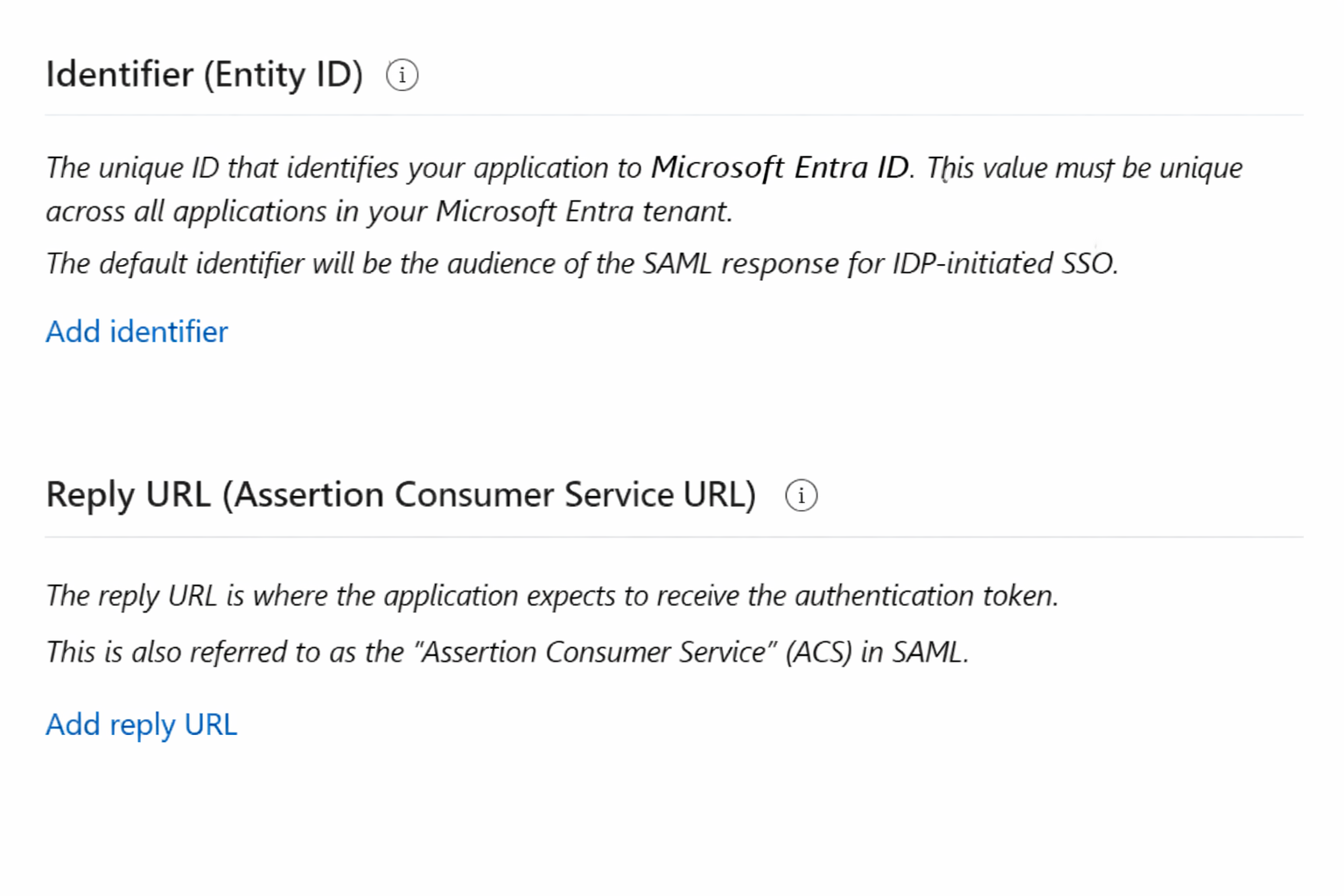
Identifier (Entity ID)
The application-defined unique identifier that is the intended audience of the SAML assertion. For example, you can use LCD.
Audience or Reply URL
The location where the SAML assertion is sent with a HTTPS POST. This is often referred to as the SAML Assertion Consumer Service (ACS) URL for your application.
https://lenovoclouddeploy.com/api/token/ws/exchange/LCD_Account_Key/ for example,
http://lenovoclouddeploy.com/api/token/ws/exchange/123456789ABCDEFGHIJK/
Replace LCD_Account_Key with the 20-character key provided to you during onboarding. This is the same account key you can use to log into lenovoclouddeploy.com.
Note
The account key was provided by the ITC engineer when your account was first created. It should not contain any dashes or spaces. For example, 123456789ABCDEFGHIJK
Attributes and claims
The Name ID must uniquely identify the user. For example, in Azure AD this could be their user.objectid.
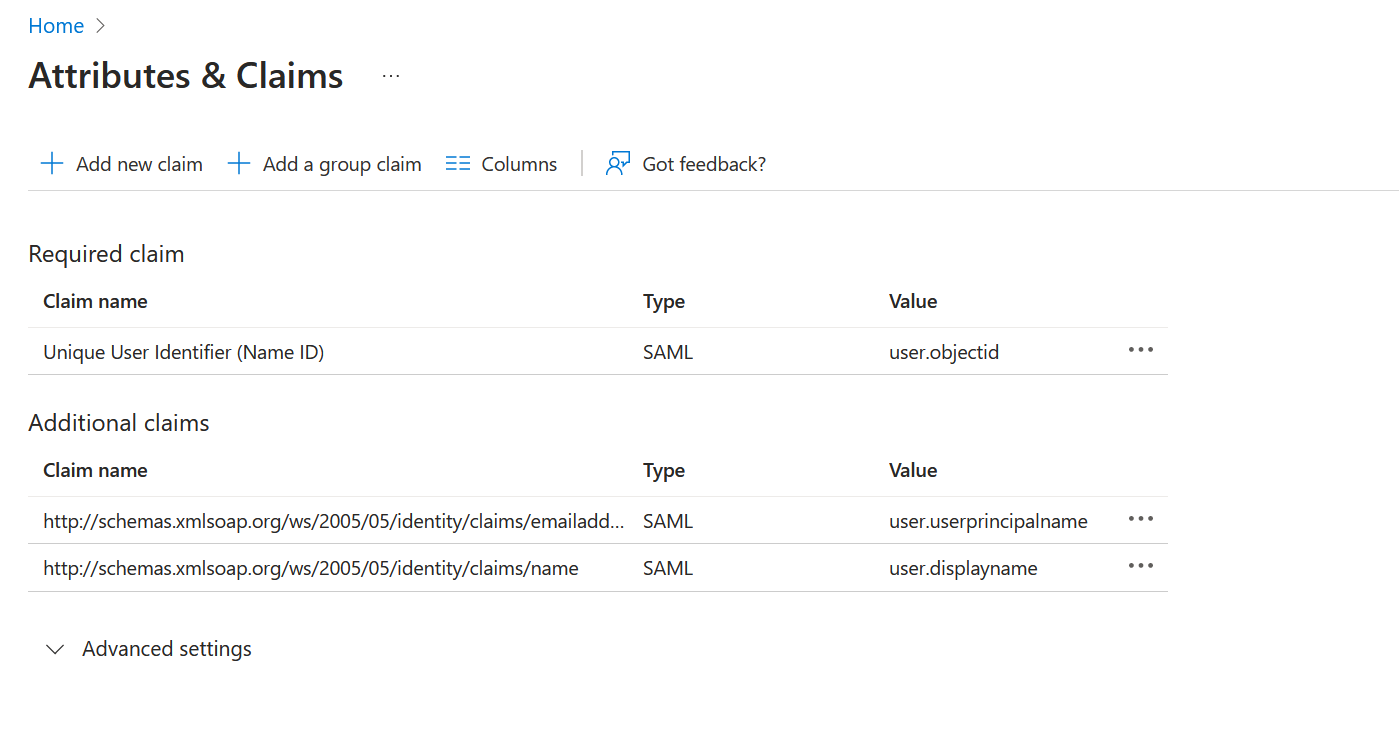
In addition to the SAML 2.0 protocol’s standard fields, LCD integration requires the following fields:
| Name | Description |
|---|---|
| name | The displayed full name of the user. |
| emailaddress | The email address of the user. |
The name and email fields map to LCD’s user profile fields.
SAML integration with LCD
Once everything is configured in your identity provider, the following three things are needed to complete the LCD integration and must be provided to your LCD technical contact.
Identifier (Entity ID)
Integration endpoint
Metadata endpoint
Identifier (Entity ID)
The application-defined unique identifier used to set up the SAML basic configuration.
Integration endpoint
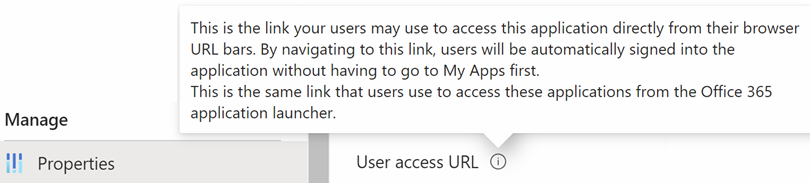
The URL where LCD redirects the client to initiate the authentication process. The endpoint redirects to the Reply URL when a user signs in. In Azure, this is the User access URL.
Metadata endpoint
The identity provider’s metadata URL for your application.
Notes
- Have the ID Provider sign the SAML response XML message at the assertion, not the top level SAML response element of the message.
- Build SAML Claim base64 encoded with NameID, name, and emailaddress.
Next
You can now continue with the relevant setup: