October 31, 2026 release
Note
These release notes are provided two weeks before the LCD release date to provide a preview of the enhancements included in the release. Full documentation for the customer-facing features described in these release notes is provided on the actual release date.
LCD 3.4 release highlights
New LCD documentation website
The new Documentation website provides a more cohesive documentation set that makes feature discovery easier. The site allows us to update the documentation more frequently to ensure users are accessing the most up-to-date information. Our goal for the documentation website is to improve user understanding of the LCD features, how to use those features, and how to maximize the value of the product.
If you have recommendations or feedback about our documentation, please provide it to your Lenovo Technical Contact.
Auto Assign for entitlement blocks
Changes were made to allow customers to prevent auto-consumption of blocks that were purchased for a specific purpose. The customer can manage existing blocks as well as new blocks on the Lenovo Cloud Deploy Website. By default, all existing blocks will be enabled to Auto Assign. If you want to prevent auto-consumption of existing blocks or change the default behavior, you will need to disable Auto Assign.
Note
Client Update Required: Due to how entitlements are processed, this release requires an update to the client. Users will be prompted to update the client after the LCD 3.4 release and existing USB media will self-update to the latest version.
LCD 3.4 release details
New LCD documentation website
The LCD user documentation previously available in PDF format has been consolidated into this documentation website to provide users with:
- all LCD help topics in an easy-to-navigate central location rather than broken into separate guides
- a search tool to easily locate the information you need
- links to related topics for additional context
- ongoing content updates that are no longer tied to a major release
- support for nine languages, now including localized screenshots
The site restructures and expands the documentation content into the topic areas pictured here on the home page.
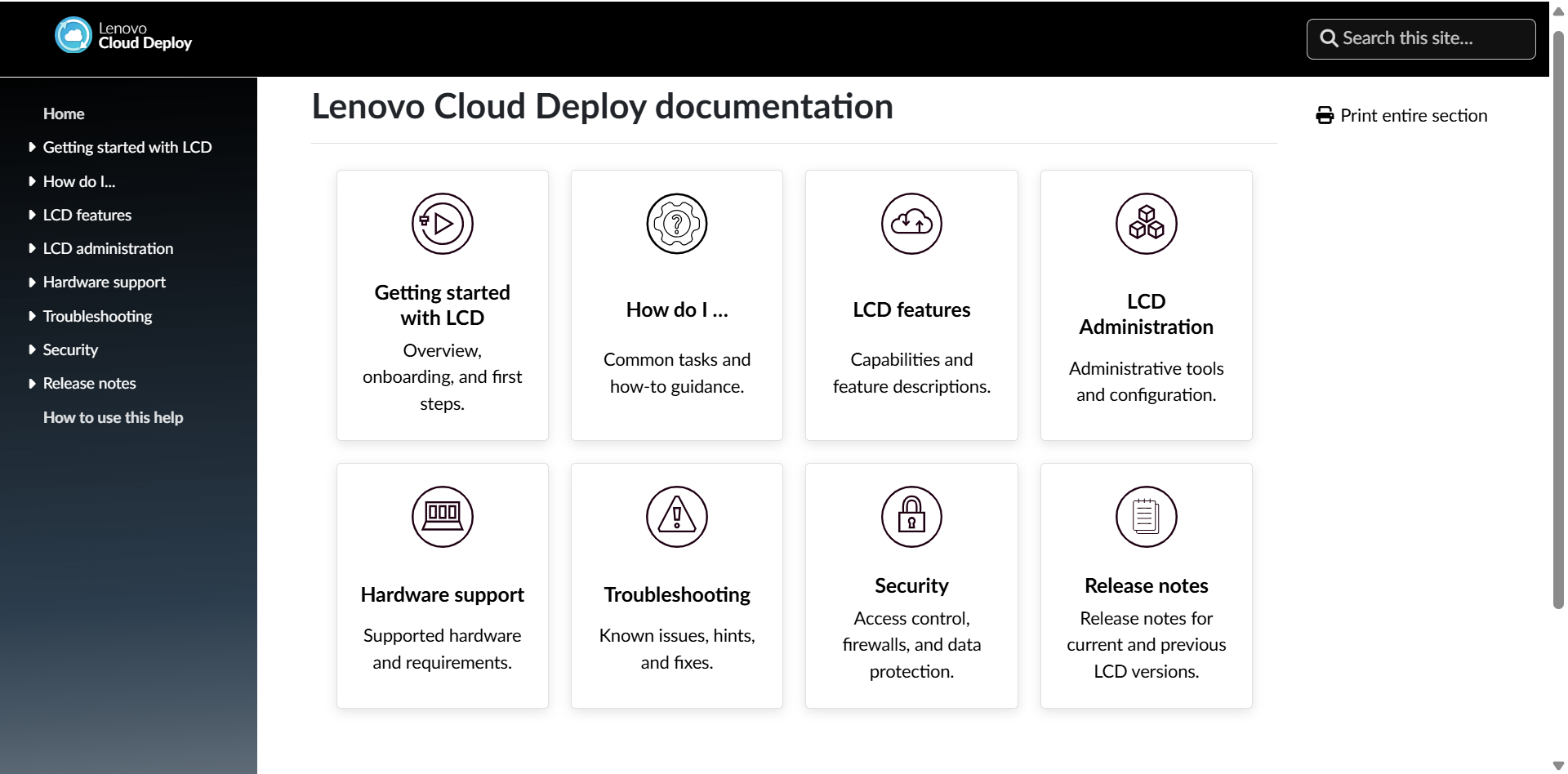
Accessing the documentation from the LCD client and website has not changed. Now, clicking the Help icon in the client or Documentation in the website left menu opens the new documentation site in a new browser tab.
See How to use this site for details on using the documentation site’s features.
If you have the previous LCD website documentation download page bookmarked, update your bookmark to https://docs.lenovoclouddeploy.com.
Updates to the LCD Website
Auto-assign for entitlement blocks
Administrators can now control which entitlement blocks can be consumed using the new Auto Assign toggle switch. This feature gives administrators more flexibility in controlling which entitlements are available for consumption, to help eliminate the unintentional auto-assignment of entitlements.
When the Auto Assign switch is enabled on an entitlement block, LCD can automatically assign entitlements from the block when needed. If the switch is not enabled, manual assignment will be required.
This switch can be accessed from the main Entitlement Blocks and Edit Entitlement Block screens. You can also set the default auto-assign behavior in the Account Management settings.
The Status column in the Entitlement Blocks table has been updated to display the block status as Active, Available, Manual, Consumed, or Expired. Additionally, the new Comment column allows administrators to note what the entitlement block is used for.
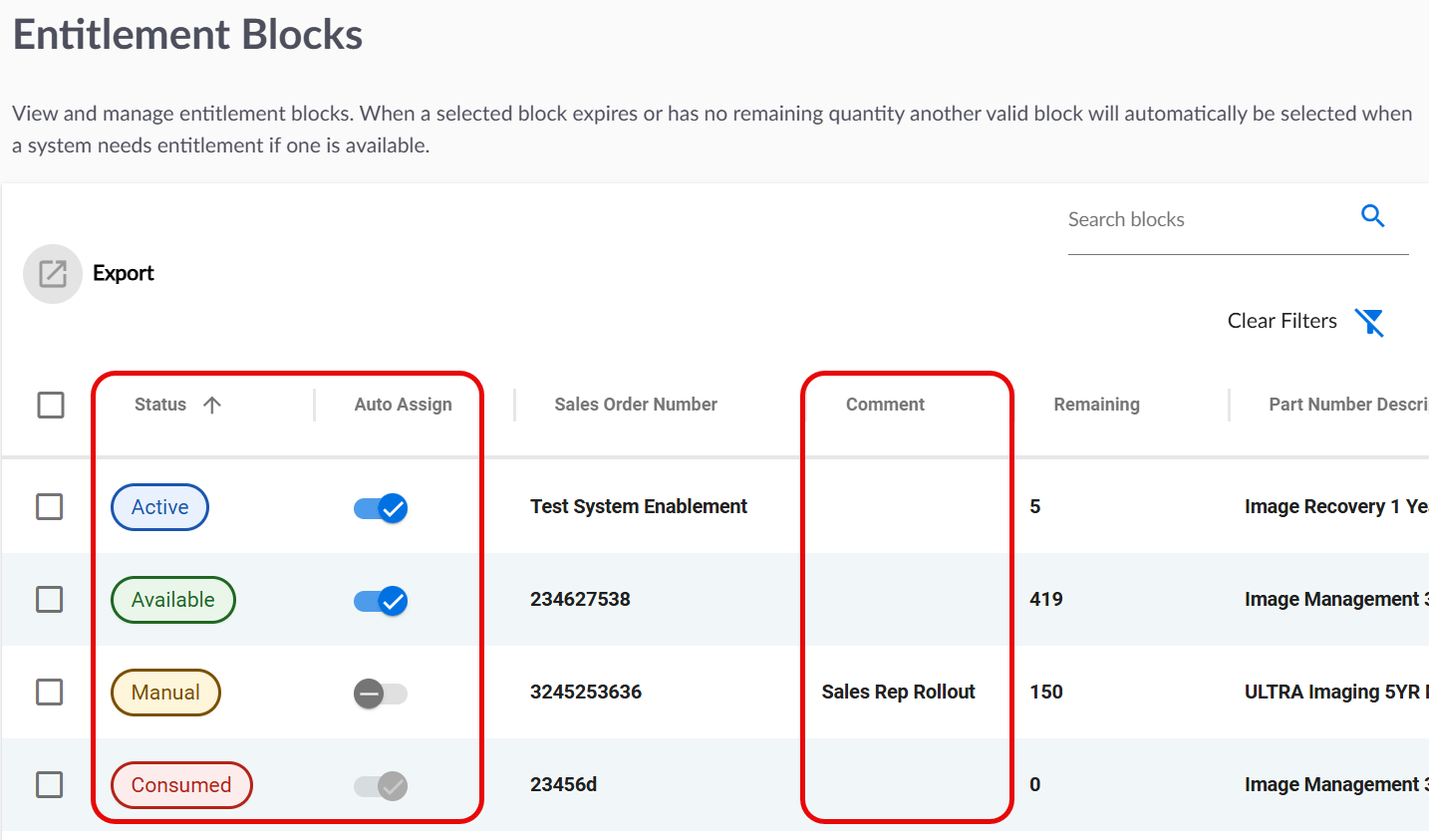
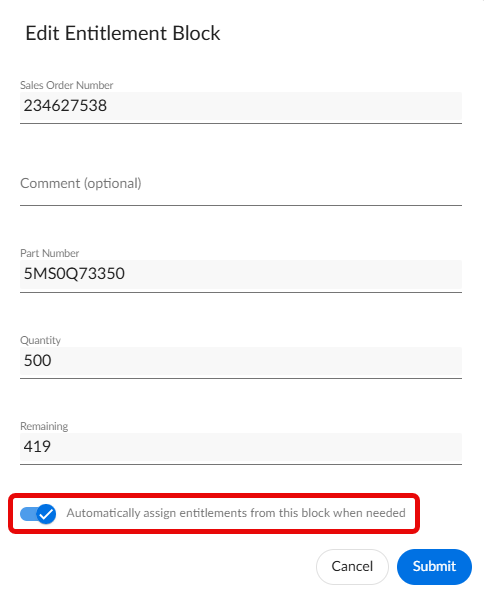
For details on using this feature, see Entitlements (Auto Assign content available on the October 31, 2026 release date).
Updates to the LCD Client
An LCD Client update is required for this release, but there are no user-facing changes.
Other release enhancements and fixes
NEW: The Help button on the toolbar now opens the new LCD documentation website in another browser tab.
UPDATED: Third-party package dependencies have been updated.
UPDATED: The dialog on a “system not entitled” deployment error now contains the Product Name and Serial Number.
UPDATED: Added support for IoT systems in the Windows license check.
UPDATED: Security updates have been implemented to strengthen defenses against HTML injection and brute-force attacks.