GEO Fencing settings
Note
This section is for users with the following LCD role: Customer Administrator. See Managing users for details on each role.
GEO Fencing allows the geographical restriction, at a country level, of LCD end user locations.
End user country location is determined by client IP address lookup to a country defined by ISO 3166. Some countries cannot be reliably identified by IP and may be associated with an internet service provider (ISP) from another country.
IP address geolocation is used to restrict access from selected countries. While this provides a strong layer of defense, be aware that the accuracy of IP location data can vary. Users may be able to bypass these blocks by using a virtual private network (VPN), proxy, or satellite internet connection.
GEO Fencing cannot be disabled in LCD. The Status box shows how many countries have restricted user access to LCD.
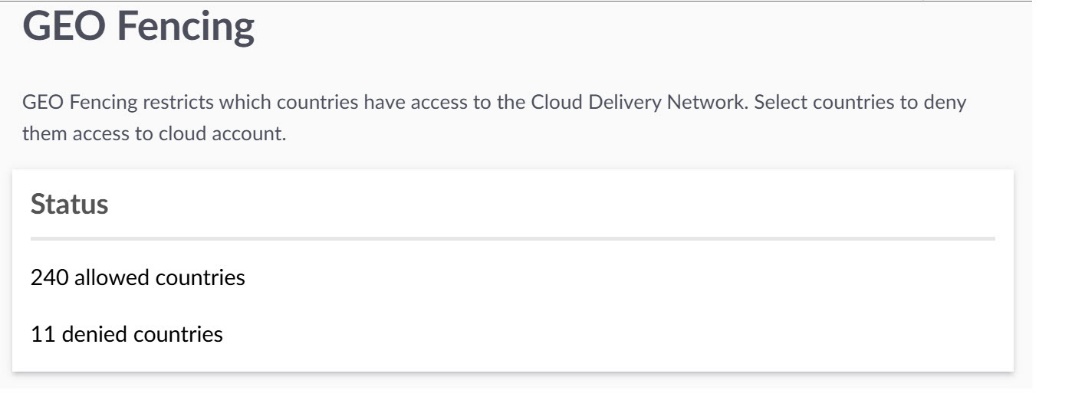
Select any countries where you want geographical restrictions to apply. Any countries remaining unchecked allow users in that country to have unrestricted access to LCD.
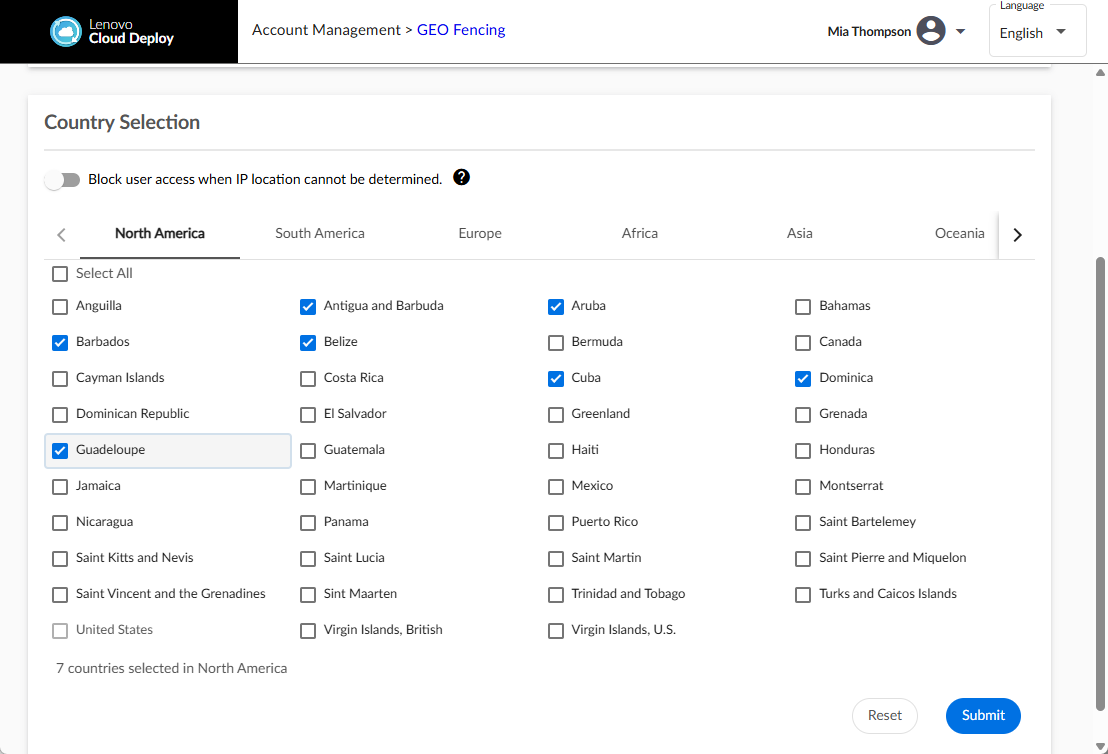
The Country Selection shows which countries restrict end-user access. As an example, the following image shows a random selection of countries.
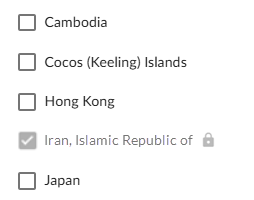
In the following example, if Lenovo complies with a regulation stating that a customer is not allowed to use an offering in Iran, that country would be added to the customer’s GEO Fencing interface and locked, as designated with a lock icon. The country name is grayed out and the check box is not clickable. The customer can still manage the selection of other countries.
This slider option allows users to choose whether to block or enable access if the end user’s IP address cannot be located.

- In some cases, the end user’s IP address cannot be associated with a country. Using this slider allows you to either block or allow access to end users who do not have a country association.
- IP address geolocation is used to restrict access from selected countries. While this provides a strong layer of defense, the accuracy of IP location data can vary. Users may be able to bypass these blocks by using a Virtual Private Network (VPN), proxy, or satellite internet connection.